Wednesday, 22 June 2016

Task 7 Evaluation

Evaluation


Looking back at the end of the final major project I have a mixture of opinions. To begin with I enjoyed the Unit as I had a large amount of freedom towards what it was I wanted to and I could create the way I enjoyed to and felt comfortable. When I look back at my game I can say that I am pleased with its result, I was able to create a game from scratch and discover my skills when throughout the production. I was also able to learn even more about coding and how to make more complex pieces of code using construct 2. 

I am unhappy at the fact that I used construct as I wanted to code properly using game maker however I decided to use construct as I knew what to do using the program and decided that I would be able to produce a better piece of work on a program I know how to use, rather than to learn how to code whilst trying to create a piece of work to a high standard on a program I don’t know how to use.

That being said I am pleased with the fact that I used construct as well. The software is simple and easy to use as well as the coding being easy to understand which was best suited to me due to my lack of coding knowledge. I feel that I was able to make my project the way that I wanted it to be in my pitch regardless of being unable to add everything I initially wanted to have in the game. 

When given feedback on my game I found that the majority of people felt as I did. That the concept of the game was good and original yet the bugs and broken features let down the overall look and feel of the game. However they did say that the game was still fun and interesting regardless of the bugs and that they would definitely recommend it to a friend. The parts that I didn’t enjoy were the writing sections. Although highly important and necessary, they are the most tedious parts to have to work on and I would have much rather been using that time to be creative. 

Although I found them highly useful for looking back and reviewing my work process and seeing what things I should prioritize working on, otherwise I wouldn’t be as organised and spent tome working on all sorts of things and potentially wasting valuable time. Of course this means that my favorite part of the unit was the productive section. This was extremely fun and enjoyable, especially watching your game grow bigger and closer to the way you imagined it. 

It gave me a large sense of achievement even though the final version has a large amount of features which sadly no longer work in the game. Regardless of features not working in still feel proud to say that I tried to make it and knowing that with more time I would have been able to make it exactly as I pictured from the beginning. 

It has also given me an insight to how crucial time management is when working on a project and how efficient you must work in order to make the project improve constantly and overcome issues and bugs. All in all I can say that I have enjoyed this unit thoroughly and I am pleased with the way that my project has ended up. If I were to do this again I would learn to code and create the same game concept but using game maker to allow me to effectively further develop my skills at programming. 

Task 6 Production

Production


This is an image of the prototype scenery tileset which I have use to create the layout of the level I will be creating my game around. I will eventually be replacing it with my final tileset which will be designed to look like the inside of an old building. 

I then created this prototype of my player character to allow me to test the mechanics and animations which I will replace with my final character design. I am also using a prototype to allow me to get the sizes and proportions of my player correct before using my final character design. Otherwise there would be many complications regarding adjustments to the animations and resizing the player to correspond with the environment.


Once I was happy with the code for the player I began to add the basic door to what is going to be the first of many doors. I will replace this with a final door sprite which will be animated, This current door is a tileset however and I am unsure if I can animate a tileset. If so I will animate the tileset instead of creating a sprite.


I have created the basic prototype for my enemy and begun the coding for it. I have encountered a few bugs and issues when getting it to patrol and attack the player. I may have to spend a long time trying to make the enemy work effectively. This is a mild setback in my production but I think I will be able to make up for the time by creating some of the smaller factors in the game to lower the amount that needs to be added.


This small image is the prototype for a ladder that I am going to spread throughout my level to give the level a variation on how the player will be able to travel through. I have also added small ledges on one side of the building and started working on player code to allow players to climb a small portion of the building and miss the first couple of floors.


This is the finished code for the enemy. I was finally able to create a system which made the enemy patrol within a certain are. I used instance variables to change value when the enemy collided with certain objects. Each value of the variable was the equivalent to a movement e.g. 1 = left: 2 = right. This then made it possible to have the enemy patrol. I was able to also make the enemy attack using the line of sight behavior and adding the doors as objects as well as reducing the range at which the enemy can see the player. 


This is the code for the doors that I have changed to sprites due to not being able to animate tilesets. This has caused the vast majority of my games code to break. I am unsure as to if it is because of the switch from tileset to sprite or if it is the process in changing them which has caused the code to break. I deleted the door tilesets and objects and created new ones with the same name then tried to add them to the areas which had the old doors in place. I feel that this was the cause and I could have avoided this by adding the new doors under a slightly different name and replacing the object to the new doors before deleting the old ones. I will now take extra care when changing anything else to the final version to avoid this happening again.


When making the code for the ladder I had great trouble getting the player to climb the ladder using the same key as they use to jump, despite me deactivating the ability to jump when overlapping the ladder I was unable to make it work. I have had to change the key to the "W" key to allow the player to climb. I am beginning to find that the controls for my game are all over the show and must either create a controls page or make the controls simpler. However There are still a huge amount of code sections that are not working and must fix them before I can progress.  


This is the code for the player that I have managed to get working in the end. I still have a few minor adjustments to make to it and will hopefully be finished with this piece of code soon. I will then be able to dd the final character and the animations for the final character. I am pleased with the fact that I have fixed most of the broken sections of the player code as the player is the most important part iof the game. I will now be able to fix the code for the enemy and add the final animations for it. This will leave me with finishing the tileset and applying it to the level and making sure that there are no more severe bugs and issues. If I have time I will try adding more enemies to the level as fixing the bugs caused by the doors has made me loose lots of time.


I have finally added the finished sprite and animations for the player to the game and have encountered a few issues with the collision boxed and origin points. This should be an easy fix as I am fairly certain that to fix these issues I simply have to adjust the origin points to match on all animations and make minor changes to the collision boxes to allow the player to climb once again.


After fixing the issues concerning the players animations I have added the final sprite and animations for the enemy, however the enemy has far less and much simpler animations compared to the player. I encountered a minor issue when setting the "Player dead" animation to play when the players health was equal to or less than 0. I was able to fix this bug eventually but it surprisingly cost me some time but I think I will have enough time to add the final tileset to it.


I have now finished the final tileset and implemented it into the game. Changing most of the textures should be easy and quick yet I am unsure as there are multiple tiles set to automatically replace the current ones. I may need to simply re-apply the new textures where I intend for them to go if they are automatically placed in the wrong areas.


This is the final outlook of my level now that I have integrated the final tileset with the level. As I suspected, the first tile replaced all the previous tiles set. This left me with no choice but to manually replace the textures where I wanted them to be. This would have been simple but i had some problems with the tiles to be used as the background inside the building. The player collided with the texture yet when I tried to apply the background texture on a lower level the texture would fail to apply. In the end I had to create a new object to be the background tileset and give it a solid behavior then disable the solid behavior entirely before applying the texture to the level once again. This appears to have been a simple solution and the game now looks similar to what I wanted it to.


This is a brief game play video of my final major project. Looking at it I can see that there are features which aren't functioning properly an other bugs. I am pleased to see that there aren't any major features which are broken and that all the bugs which can be seen are minor ones.

Friday, 17 June 2016

Task 5 Pre Production


PROGRESS UPDATE
PLAN FOR NEXT MONTH / WEEK (Including Possible Contingency Plans If Problems Anticipated) 
Mon W/B 05/01/15
(Detailed Weekly Summary)

This week I created the base texture to build the level of my game on Monday. Using this texture I managed to create the rough layout of my level to the size I wanted. I then made a very basic sprite to be used as my character. After this I began to create the code for basic movement, which took the rest of the week.
Next week I intend to create more of the code for the playable character from Monday and finish on Tuesday and hopefully begin some basic work on an enemy around Friday if not Thursday.
Mon W/B 12/01/15
(Detailed Weekly Summary)

This week I made additions to the player’s code, I also had an idea about the character being able to grab onto ledges so I decided to create the code for this instead of begin work on an enemy sprite. I also marked areas of code for adjustments to remind myself of which code areas I need to go back to at a later date This took me the from Monday through to the end of Thursday. On Friday I spent the time looking at my ideas generation and thinking on what to do next.
Next week I plan to make the animations for the “Grab” which I mentioned earlier. I will also begin to create a basic sprite for the enemy in addition to some brief work on a tileset to be used on the level. Hopefully I will have the "Grab" animations working properly by the end of Tuesday and the enemy sprite in place on Thursday which will allow me to spend more time working on the on Friday.
Mon W/B 19/01/15
(Detailed Weekly Summary)

This week I created the animations for the “Grab” which will be usable for the player. I had a few bugs and issues when it came to jumping whilst grabbing a ledge. I was eventually able to fix these issues but that left me without enough time on Friday to begin working on my tileset and spent Friday fixing these issues, although I was able to create a basic sprite to simulate the enemy until I create the official sprites that will be used in the final version.
Next week I am going to prioritize time on Monday and potentially Tuesday to work on the beginning of my tileset then make a start on some of the enemies’ code on Thursday and Friday. If I am able to have a basic working enemy by the end of Thursday I will have more time on Friday to check over my code and search for bugs.
Mon W/B 26/01/15
(Detailed Weekly Summary)

This week I took time to spend on my tileset. It still requires more work and there are still lots of textures which need to be adjusted. This took me until the end of Tuesday which was what I was hoping for. I also managed to work on some basic code for the enemy. I found this to be a slight challenge as I had to change the code numerous times to no improvement which ended up lasting until the end of Friday, unfortunately leaving me with no time to look for bugs this week
Next week I am going to continue working on the enemy’s code and leave the player's code as it is for now until I know a better way of making the enemy move and attack the player. I plan on doing this from Monday until Thursday. After which I will spend Friday working on a tileset for a door.
Mon W/B 02/02/15
(Detailed Weekly Summary)

This week I created more code for the enemy and made other pieces of code more efficient and compact from Monday until part way through Friday due to some minor issues  making the code more compact.. I also began to work on a tileset for a basic door on Friday which was quickly implemented into the game soon.
Next week I plan to create the code for my door on Monday and make adjustments to the size of the player and enemy in addition to their collision masks on Tuesday and Thursday. I hope to have most of these completed as they would allow me to make way on other features by Friday.
Mon W/B 09/02/15
(Detailed Weekly Summary)

This week I successfully managed to create the code for the door. This proved to be slightly buggy but the bugs were fixed within minutes. I also managed to adjust the size of the character and enemy to the size I am happy with on Monday and Tuesday. I took the fact that I will be remaking the art for their sprites later on in production into consideration and may have to compromise the quality of the sprite to maintain the size ratios. On Thursday I had another look at the mind map I created with all my ideas for the game, and thought about what my sprite would look like in preparation for when I begin to create it. When it came to Friday I spent the time thinking about what my enemy would look like, and what the variants of enemy could look like.
Next week I plan on improving the enemy code so that they will patrol within a certain area. I expect this to take at least all of Monday and the majority of Tuesday. If this is finished quicker than this and works I will begin to on the code to allow the enemy to attack the player using a line of sight. I hope to have the enemy attacking properly by the end of Thursday however I may have to spend Friday fixing bugs or continuing to make the code work.
Mon W/B 16/02/15
(Detailed Weekly Summary)

This week I was able to make the enemy patrol within a certain area. I figured this out using a much simpler method involving the movement simulation and instance variables. This as expected took all of Monday however I had to fix multiple bugs with this as the enemy would push the player through the doors and in some cases the floor, which consumed all of Tuesday as well.  I was unable to fix these issues but I hope that when the enemy is able to attack, these bugs will be avoidable on Thursday and Friday.
Next week I hope to make the enemy attack the player or at least be killed by the player; however I will need to make the player able to attack before I work on making the enemy do this. I will work on making the enemy attack on Monday and Tuesday as I will have to consider hit boxes which will most likely consume most of this time. I am leaving Thursday and Friday available to search my game for bogs and mechanics which don't function properly.
Mon W/B 23/02/15
(Detailed Weekly Summary)

This week I began making the code to allow the player to attack. I had a few issues when it came to the prototype bullet pushing the player backwards. I wasn’t able to find a solution to this and continued to make the code for the players attack. So I spent the entire week attempting to fix this issue and found no solutions. 
Next week I plan to make some basic animations for the players attack in addition to walking and grabbing on Monday and Tuesday. On Thursday and Friday I will spend the time trying to get the player's attack to function properly. If I am able to get the player's attack working properly I will try to make the enemies code more efficient and compact. If I am unable to do this then I will leave the code as it is. 

Mon W/B 02/03/15
(Detailed Weekly Summary)

This week I was able to fix the issues concerning the player's attack which left be able to try and make the enemies code more compact, this proved to be quite a challenge but I managed to make some of the code more compact. I also made the basic animations to allow me to check if the walking animations work properly for when I add the final version of the sprite From Monday through to Friday..
Next week I intend to Begin work on making some of the smaller sprites and adding a second door to the first room. The small sprites include the bullets for the player and the enemy. I am hoping that I will be able to get this done by Thursday leaving me able to spend Friday making a tileset for a ladder which will create a larger variety of ways to traverse the level. 
Mon W/B 09/03/15
(Detailed Weekly Summary)

This week I was able to create and implement a second door to the first room in addition to creating all of the smaller sprites. These sprites were mainly the bullets for the enemy and player from Monday until the end of Thursday. I then had a little extra time on Friday to spend on making the tileset for a ladder which I plan to add sometime in the future.
Next week I plan on adding the ladder and making the code to allow the player to climb the ladder which shouldn't take longer than Monday or midway through Tuesday. I also plan on adding code for a climbing animation and hopefully create a basic climbing animation to check if the code works, which I intend to spend Thursday and Friday perfecting.
Mon W/B 16/03/15
(Detailed Weekly Summary)
Mon W/B 23/03/15
(Detailed Weekly Summary)

This week I was able to add the code and basic animation for climbing. Unfortunately I experienced large bugs when trying to use the same keys to jump so I had to substitute the control to the “W” key. Fixing this issue left me with too little time to work on anything else as this took me all through from Monday to Friday.
Next week I will try and create some of the final sprites for the character and add the animations for it as well. If this is done by the end of Tuesday then I will begin to work on a sprite to be used as the final enemy sprite until the end of Friday in addition to spending what time may remain working on my tileset.
Mon W/B 30/03/15
(Detailed Weekly Summary)

This week I was able to add the final sprite for the playable character and also added the “Grab” animations to the character. This tool until the end of Tuesday as anticipated which allowed me to gain good leeway towards creating and implementing the sprite for the enemy on Thursday and part of Friday. I then began to make the rest of the animations for the player like walking falling and attacking for the remainder of Friday.
Next week I plan to finish the majority of these animations and add them to the game by the end of Thursday. If I get these completed sooner then I will add the code for them and test if they work. Depending on how much time remains I will begin to do this process for the enemy.
Mon W/B 06/04/15
(Detailed Weekly Summary)

This week I made the cast majority of the remaining animations for the player sprite and almost completed the collision mask or each animation frame. This took longer than expected and left me with half of Thursday and all of Friday to do any of the other tasks that I planned on doing, meaning I’ll have to make the time up and complete those intentions at a later date.
Next week I will try to complete the goals which I wasn’t able to complete this week. I plan to get these done by the end of Tuesday at the earliest. Once these are completed I will begin to change the doors so that I can make “Open” and “Closed” animations for them to replace the prototype textures already in place which I hope can be done before Friday so I can do another check for any large bugs.
Mon W/B 13/04/15
(Detailed Weekly Summary)

This week I managed to finish the collision mask for the enemy and decided to add a death animation and scene for the player dying. This was done very quickly and works well with a few minor bugs which aren’t anything serious but I will return to fix them at a later date. I also managed to create the sprite animation for the doors which took all of Friday.
Next week I plan to change the doors as I previously intended, this should only take Monday up however I feel that they will cause some bugs and issues. I will have to see what happens. If not then I will begin to work more on my tileset and do another routine bug check. 
Mon W/B 20/04/15
(Detailed Weekly Summary)

This week I changed the doors in the first room which took only a small portion of Monday. They have created a large portion of the game to completely to break. I think the reason for this is that the original doors were a tileset and the newer ones were sprites. This has caused a large number of errors across the code and I have spent the whole of what remained of Monday all through to Friday trying to replace the sections of code where the old doors were with the new ones; however the majority of the game still appears to be broken now. Including around half of the enemy scrips.
Next week I must go through all of my code and try to fix the sections that have now broken due to the change in doors I want to have this done by Tuesday and perform another large scale bug check to make sure I didn't miss anything. If I am able to get this done with time to spare I will devote it to setting up the animations for opening and closing the doors, hopefully rendering the game playable.
Mon W/B 27/04/15
(Detailed Weekly Summary)

This week I have been looking through each piece of code in the game trying to fix the sections that have been broken due to the change in doors. It appears that more of the code has broken that I anticipated. I will have to spend all the time I can this week and potentially longer examining the code looking for errors. I am hoping that I can fix it all soon.
Next week I will be continuing to find all the broken sections of my code and fix it. I am concerned that some of them are irreversible but I’m going to try and fix as much of it as I can as quickly as I can so I can continue to add features to the game. I am not working on anything else until this is completely fixed which may take all of Monday through to Thursday if things go as I expect them to.
Mon W/B 04/05/15
(Detailed Weekly Summary)

This week I have been able to fix roughly half of the bugs created by changing the doors. This took me all of the week until the beginning of Thursday. The largest of the bugs, which has caused the enemy to stop patrolling correctly, attack the player and even die has so far been impossible to fix. I am highly concerned about this bug as it will stop people from completing the game. I still can’t find a way to fix all of these issues which is severely impeding my progress along this project despite spending the remainder of the week searching for solutions.
Next week I will apply all the time I can to fixing the enemy and hopefully being able to add more features to the game, hopefully this will be fixable this week. I am displeased with this happening as I have many ideas that I have had to remove from the game due to this taking up too much time.
Mon W/B 11/05/15
(Detailed Weekly Summary)

This week I managed to fix the majority of the enemy bugs which took from Monday through to lunch on Tuesday. The main reason for the enemy failing to attack was with the sprite for the enemy bullet. Once I had replaced it with a new sprite entirely It appears to be working for now. The enemy is also able to patrol the room once again although that remains slightly glitch and I have spent Thursday and Friday checking it multiple times and making minor adjustments to make it perform better that it did previously.
Next week I intend to finish working on my tileset and begin adding it to the game. My tileset shouldn't take me longer than Monday and a small part of Tuesday to complete. I will also begin to add more enemies to the game to give the game a larger challenge for the player, which I expect to take the rest of the week.
Mon W/B 18/05/15
(Detailed Weekly Summary)

This week I finished working on my tileset and began to add more enemies to the game. I encountered multiple issues when doing this as simply copying and pasting the enemy wouldn’t work which caused me to spend all of the week until Thursday tying to find ways to make ti work. All the enemies would disappear when any one of them was destroyed. To counter this I have added two more enemies. “Enemy left” and “Enemy right” which took up all of Friday.
Next week I plan on making the code for “Enemy left” and testing to see if it works. I plan on spending Monday and Tuesday doing this. If I am able to get that completed then I will begin to work on the code for “Enemy right” and testing it until it functions properly, hopefully this will take the rest of the week.
Mon W/B 25/05/15
(Detailed Weekly Summary)

This week I have been trying to get the “Enemy left” code to work. I also thought to speed things up I would work on the code for both of them at once. This took me from Monday through to Friday experimenting with different methods trying to get it to work properly. I have been unable to make them work at all so far and may have to leave them as they are if I fail to get them working soon. 
Next week I must work on applying my tileset before the other two enemies, mainly because it is complete and without the tileset the game will look terrible. This should only take Monday which will allow me to work on the enemies again which will hopefully take until Thursday which will allow me to spend Friday doing another bug check.
Mon W/B 01/06/15
(Detailed Weekly Summary)
This week I have managed to apply the tileset across my whole game and have also added a start screen and an end screen which successfully sends the user back to the start screen to avoid closing and opening the game to replay. Including the time it took me to get the working menu page and end page, it took me Monday and Tuesday as there were minor issues getting the start page to work. I haven’t been able to get the other two enemies working at all so I have disabled their collision so at least the player is able to explore the level which took up all of Thursday and Friday as I was that was a last resort. I left the enemies there to show that I have attempted to add more enemies and to also show how the game would be laid out had the enemies been working.


PROGRESS UPDATE
PLAN FOR NEXT MONTH / WEEK (Including Possible Contingency Plans) 


Thursday, 21 January 2016

Task 4 Specific Research

Specific Research

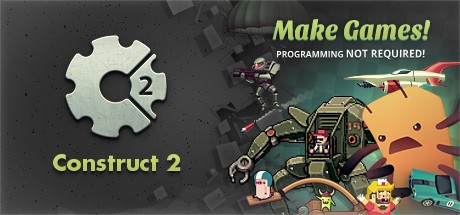
For my final major project I have chosen to create a 2D platformer game. To create this I will be using Construct 2, Pixel edit and Piskel. I have decided to use construct 2 as I already know how to use the program in addition to the fact that the programming factor is simple to use and easy to understand, allowing me to effectively create complex pieces of code without having to learn how to code at the same time as I produce the game itself. 


                  http://cdn.akamai.steamstatic.com/steam/apps/227240/header.jpg?t=1447357134

I have also decided to use Piskel for all of the sprites to put into my game. This is die to the fact that it is an easy to use website which has a large variety of tools that allow me to make sprites to any level of detail ad I wish. As a person who isn't good at creating pixel art, I have found Piskel to be very helpful to me in the past. It is also a well trusted site used by hundreds of people world wide.


Later on in the production of my game I will  be using Pixel edit to create any and all tilesets that I need. Pixel edit is a well known and useful program which can be used for creating tilesets for games. It saves lots of time as I am able to simply able to paint my tilesets in construct as oppose to creating every single piece of scenery separately and painting the details over and over again. This will allow me to quickly create the scenery for my game with a single tileset.  


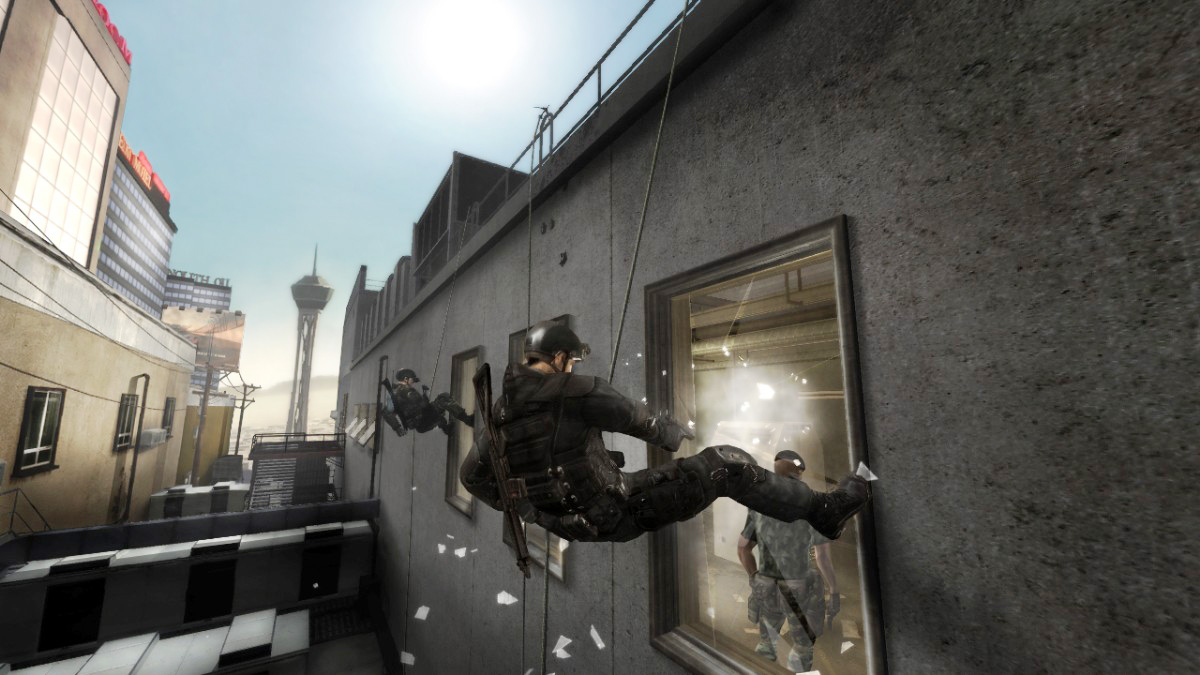
One of the inspirations for my game is Rainbow Six Vegas 2 I have tried to use as little inspiration as possible to allow the vast majority of the game to have been devised from myself. The inspiration I have gained from this is the fact that the game involves a lot of room clearing. The way that I plan on showing this Is by having the player open doors which reveal the enemies within the room which is mean to keep the player on their toes and constantly aware.


My only other source of inspiration was from the original Splinter Cell. My inspiration gathered from this game is the ability to have multiple methods of infiltrating buildings and completing certain levels throughout the game. I plan on adding multiple methods of traversing the level in my game as it will allow me to have more complex level designs and will also give players a variation on how they want to complete the level.


Task 3 Pitch


Media Format (film, documentary, motion graphics, photography, animation, graphic design etc)

The media format that I have chosen to produce is a 2D platform shooter, playable on a desktop PC or laptop.
Synopsis of Idea (content, narrative, genre)


The idea for this game is to create a shooter involving the main character, an office worker sick and tired of the thugs and criminals terrorizing the city, and decides to take the law into his own hands and eradicate the criminals using his own arsenal of weaponry.
Target Audience? (demographic NOT age range)
I am aiming this game towards both males and females. In addition to this, it will be available in all of Europe and the Americas. They will be expecting a gripping and original idea with many different gameplay features and challenges along the way. In addition to seeing the progression of the character story as he tackles the criminal forces head on.


How will your project meet the needs of your target audience?


To meet the expectations of the audience I will add many different mechanics for not just the player, I will add them to the enemies and the environment in the form of different methods to traverse the levels and attack enemies using a variation in weapons.


What production techniques will you use to realize your project?


To produce this I will be using the software Construct 2, this is due to that fact that I am unable to code properly and construct 2 requires no skill in programming, instead there is a system of jigsaw like options which will act as the code for the game.

Task 2 Ideas Generation

Mind maps

To begin my ideas generation I created a broad and large mind map which outlines the majority of my ideas for the game. I will create a more narrowed down version of the initial mind map as there are a large number of ideas which I will not be able to add to the game until later on if its possible. I have also made rough ideas for secrets within the game. Although I may not be able to put these into the game, I would still like to as players would have a separate task other than the basic objective of completing the levels.

Initial ideas mind map


I have branched this mind map out as broadly as possible to get down as many ideas as possible, like levels; enemies and intractable environments. 

I have made a simple mind map specifically for the environment. This is a little more in depth than the initial mind map.

Environment mind map


Levels

Like most games I will be including a tutorial level. My initial idea for it is to be set withing a training facility. The player would learn the basics of the controls and mechanics to traverse basic obstacles allowing them to complete the levels with a little more ease and save them from having to learn the skill whilst playing the level.


Task 1 Research

Task 1.


Contractual

A contractual brief is the legal document made between a client and the employee. The brief is to outline the duties which the company must perform and how they organize the work. A contractual agreement is legally binding and the conditions which are outlined within it must be followed. 

The communication performed in this contract would usually be between a media production company and a client looking to have a product produces or advertised. Time management would be very important varying on what the project which the client is looking to have produced. Like all media projects having some high level of technical skills is important as it allows for the production company to make a good product which is clear to the brief provided as well as being able to satisfy the employer. Briefs like this aren't generally used to progress someone in their career as they would usually already have a successful career.

Informal

An informal agreement is a verbal agreement made between two people at meetings etc but has no legal enforcement. This is done between a client and an employer in which they will come to a general agreement on some of the details of the contract 


The communication performed in this contract would usually be between two workers who are discussing business ideas, this would make it a highly useful skill to have. Time management would be very important varying on what the project which the client is looking to have produced. Like all business projects technical skills are fairly important as it allows for the production company to make a good product which is clear to the brief provided as well as being able to satisfy the employer. Briefs like this aren't generally used to progress someone in their career as they would usually already have a successful career.


Formal

A formal brief is a document outlining what a client wants a company to achieve.It occasionally changes due to other requirements, it is more of a "relaxed" type of brief to be conducted between a client and employer.


The communication performed in this contract would usually be between a media production company and a client looking to have a product produces or advertised however certain things within the brief can be changed if needed. Time management would be very important as the product would need to be completed within the time limit. Like all media projects having technical skills is important as well as it allows for the production company to make a good product clear to the brief provided. Briefs like this can be used to progress someones career as they may be starting their own production company.


Competition 

A competition brief is made in order to have access to all production companies participating in a project or product. Each of the companies create their own brief outlining their own ethos. All of the finished product are compared and the most impressive is the one which gets used.

Communication skill would be one of the most vital things there is in a competition brief, this is because each separate company needs to know exactly the same amount of information so they have a fair chance to make the product. Time management would also be extremely important as the production companies would only ave a set amount of time in which to complete the project as well as the fact that they are competing against other companies and would need to prove themselves to be the best. Technical skills would be one of the more important factors to have in mind on this type of brief as the project would need to be better than the other companies they're competing against. Career progression would also be a part of these briefs as the winning company would be more known and trusted by the employer.

Negotiated

In a negotiated brief the client and employer will come to an agreement in the project's brief. This is almost identical to a formal agreement however both sides are able to give input towards the brief.

Communication skills are the most important factor of a negotiated brief as both the employer and the production company would need to have a strong line of communication with the employer as they must decide the terms of the brief together so they're both satisfied. Time management isn't as important here as they can discuss whether there will be more time needed or less. Technical skills is another which is of course important but not as important as communication skills. Career progression is something which would be used as someone who wants to progress their career would perform these types of briefs in order to make the best product they can to get a better reputation.

Tender

In a tender brief a client produces an advertisement which states they are looking for a media product to be made. Potential employers like a production company will begin a brief; budget and a proposal which is pitched to the client. The best pitch idea is then chosen by the client.

Communication is important as the company which has placed the advertisement would need to have a clear idea of what they are looking for, as well as the companies whom would need to create a highly convincing and detailed pitch to the company. Time management would be very important as the companies interested would need be able to create an effective pitch in the given time for the employer. Technical skills are highly important as the employer isn't looking for a specific company, they are looking for a good company to provide them with a brief etc in competition with any other interested production companies. This form of brief is a good way for people to get themselves a good reputation and progress their career. 


Co-operative

A co-operative brief is when multiple  production companies are employed to work on a single brief, which is completed in unison as a team project towards a deadline to satisfy the client.

With this kind of brief communication is one of the most vital things as multiple companies would need to communicate together and to their workers to create the finished project/ product. Time management is also crucial as each company needs to be working within the timeline in order to make sure the project is completed on time. Technical skills aren't too important as there are multiple companies working on the one project, so as long as each company is well skilled in the area they are working on then the finished project will be to a good quality. Career progression wouldn't be used too much as the companies will be working as a team and therefor no one person would be able to enhance their career from it.  
 
Commission

A commission brief is made by a large corporation like the Sunday times. They employ an independent company to create their project for them, this type of brief is negotiated between two media companies instead of being with an external client.


Communication would be a fairly important factor of a commission brief as the two companies involved would need to constantly communicate to discuss their progress and ideas. Time management is important in a commission as the company doing the work must have the project completed for the other company to use either urgently or very soon after the completion date, since these companies tend to be very large and successful it is important that they maintain an efficient workflow. Technical skills are important as one large company is working closely with another, if one of the companies didn't have good technical skills then the finished project wouldn't be to a good standard and gain a fairly big hit to their reputation. In cases like this no one of the companies involved would be able to advance their career from this, they would simply benefit the company.


Video Wall Project


Brief 1: Wash your hands!


1. The Client

Salford Royal NHS Foundation Trust aims to be the safest organisation in the NHS through providing safe, clean and personal care to every patient, every time. We are an integrated provider of hospital, community and primary care services, including the University Teaching Hospital. Our team of 6,000 staff provide local services to the City of Salford and specialist services to Greater Manchester and beyond.  We have an excellent track record; having the highest consistent rating for service quality coupled with one of the highest sets of patient and staff satisfaction scores. Further information about the Trust can be found at: www.srft.nhs.uk


The hospital site is undergoing major redevelopment and will open a new main entrance in June 2011 in the new Hope Building. A new video wall will be installed in the main entrance in June 2011 and it will play key messages on a loop seven days a week.


2. Brief


To create and deliver a high quality film to help promote the importance of hand washing to visitors when they enter/leave a ward.


This film will play on a video wall in the main entrance of the hospital (Hope Building). It will be played on loop, with no sound.


It is anticipated this film will be 90-120 seconds; therefore it will need to captivate the audience.


3. Treatment


Graphic animation is preferable however we will consider other recommendations.


4. Key messages


  • Infection control is everyone’s responsibility
  • Help protect our patients – your loved ones
  • Wash your hands when entering and leaving a ward
  • Optional: 10 steps to effective hand hygiene (attachment).


5. Branding


Any colours used within artwork will need to be part of the NHS palette, details of which can be found at: www.nhsidentity.nhs.uk.


The Trust is called ‘Salford Royal NHS Foundation Trust’ or Salford Royal’ never Salford Royal Hospital or Hope Hospital.


The Trust’s full logo is expected to appear at the introduction and end of the film.


The end of the film should credit: This film was proudly made by local students from Salford City College for Salford Royal NHS Foundation Trust.


6. Deadline


Friday 8 June 2012 - any films submitted to Salford Royal after this date will not be considered for use.


7. Project Management


Required support time with the client will need to be agreed in advance.


Issued to:

Salford City College, 7 March 2012


Issued by:

Anne-Marie Miller

Communications Manager

Salford Royal NHS Foundation Trust


 Who is the client?

The client is brief 1 is the Salford Royal NHS Foundation Trust

What media product(s) does the client require?

To create and deliver a high quality film to help promote the importance of hand washing to visitors when they enter/leave a ward.

What is the time scale to deliver the product(s) to the client?

Friday 8 June 2012 - any films submitted to Salford Royal after this date will not be considered for use.

Who is the intended target audience the client wishes the product(s) to appeal to?

The target audience is any and all visitors to the wards

What are the legal and ethical issues relating to the production?

Graphic animation is preferable however we will consider other recommendations.

What constraints do you have to work within (budget, length of product, format)?

It is anticipated this film will be 90-120 seconds; therefore it will need to captivate the audience.


Video Wall Project

Brief 2: IN Salford and Proud


1. The Client

Salford Royal NHS Foundation Trust aims to be the safest organisation in the NHS through providing safe, clean and personal care to every patient, every time. We are an integrated provider of hospital, community and primary care services, including the University Teaching Hospital. Our team of 6,000 staff provide local services to the City of Salford and specialist services to Greater Manchester and beyond.  We have an excellent track record; having the highest consistent rating for service quality coupled with one of the highest sets of patient and staff satisfaction scores. Further information about the Trust can be found at: www.srft.nhs.uk


The hospital site is undergoing major redevelopment and will open a new main entrance in June 2011 in the new Hope Building. A new video wall will be installed in the main entrance in June 2011 and it will play key messages on a loop seven days a week.


2. Brief


To create and deliver a high quality film to promote that Salford Royal NHS Foundation Trust is proud to be in Salford and to encourage others to view Salford in a different light.


The Trust is really proud to have a new modern building, which is a new civic landmark, and wants to remind people when they are on our new hospital site that there is so much to see in Salford.


Inspiration for the film should be taken from travel and tourism adverts that promote Ireland, Yorkshire etc.


Photography has been commissioned and we want to use this photography within the treatment of the film.


The films should be vibrant and exciting i.e. not a dull slide show of some beauty spots!


This film will play on a video wall in the main entrance of the hospital (Hope Building). It will be played on loop, with no sound.


It is anticipated this film will be 90-120 seconds; therefore it will need to captivate the audience.


3. Treatment


All recommendations will be considered. Trust photography must be incorporated.


4. Key messages


  • Salford Royal NHS Foundation Trust is proud to be IN Salford
  • Did you know all these places are here IN Salford?


5. Branding


Any colours used within artwork will need to be part of the NHS palette, details of which can be found at: www.nhsidentity.nhs.uk


No additional photographs can be taken as we want to ensure the style of pictures throughout the film remain consistent.


The Trust is called ‘Salford Royal NHS Foundation Trust’ or Salford Royal’ never Salford Royal Hospital or Hope Hospital.


IN Salford branding exists – magenta pink.


The Trust’s full logo is expected to appear at the introduction and end of the film.


The end of the film should credit: This film was proudly made IN Salford, by local students from Salford City College for Salford Royal NHS Foundation Trust. It must also credit the artist.


6. Deadline


Friday 8 June 2012 - any films submitted to Salford Royal after this date will not be considered for use.


7. Project Management


Required support time with the client will need to be agreed in advance.


Issued to:

Salford City College, 7 March 2012


Issued by:

Anne-Marie Miller

Communications Manager

Salford Royal NHS Foundation Trust


 Who is the client?


The client is brief 1 is the Salford Royal NHS Foundation Trust

What media product(s) does the client require?

To create and deliver a high quality film to promote that Salford Royal NHS Foundation Trust is proud to be in Salford and to encourage others to view Salford in a different light.

What is the time scale to deliver the product(s) to the client?


Friday 8 June 2012 - any films submitted to Salford Royal after this date will not be considered for use.

Who is the intended target audience the client wishes the product(s) to appeal to?

The target audience is the general public.

What are the legal and ethical issues relating to the production?

Graphic animation is preferable however we will consider other recommendations.

What constraints do you have to work within (budget, length of product, format)?

It is anticipated this film will be 90-120 seconds; therefore it will need to captivate the audience.


Video Wall Project

Brief 3: Right Treatment Right Place


1. The Client

Salford Royal NHS Foundation Trust aims to be the safest organisation in the NHS through providing safe, clean and personal care to every patient, every time. We are an integrated provider of hospital, community and primary care services, including the University Teaching Hospital. Our team of 6,000 staff provide local services to the City of Salford and specialist services to Greater Manchester and beyond.  We have an excellent track record; having the highest consistent rating for service quality coupled with one of the highest sets of patient and staff satisfaction scores. Further information about the Trust can be found at: www.srft.nhs.uk


The hospital site is undergoing major redevelopment and will open a new main entrance in June 2011 in the new Hope Building. A new video wall will be installed in the main entrance in June 2011 and it will play key messages on a loop seven days a week.


2. Brief


To create and deliver a high quality four part film to help promote the key messages from the Right Treatment Right Place campaign: www.righttreatmentrightplace.com


The three parts are:

  1. Self Care
  2. Health Professionals
  3. Accident and Emergency
  4. For hospital, Not for hospital


The Trust currently displays a large banner outside A&E which dictates ‘For Hospital and Not for Hospital’ – artwork attached.


This film will play on a video wall in the main entrance of the hospital (Hope Building). It will be played on loop, with no sound.


It is anticipated that each film will be 60- 90 seconds; therefore it will need to captivate the audience.


3. Treatment


Graphic animation is preferable however we will consider other recommendations.


4. Key messages


  • Make sure you get the right treatment at the right place by following this guide


  • It will help you to identify when to carry out Self Care, when to visit Professional Health Services like your local pharmacy, doctor or dentist, and the rare occasions when you may need Accident and Emergency.


  • Parts a, b, c will individually promote each category


  • Part d will promote what is ‘for hospital and not for hospital’.


5. Branding


Any colours used within artwork will need to be part of the NHS palette, details of which can be found at: www.nhsidentity.nhs.uk.


Campaign branding and artwork can be supplied on request.


The Trust is called ‘Salford Royal NHS Foundation Trust’ or Salford Royal’ never Salford Royal Hospital or Hope Hospital.


The Trust’s logo and NHS Salford’s is expected to appear at the introduction and end of the film.


The end of the film should credit: This film was proudly made by local students from Salford City College for Salford Royal NHS Foundation Trust.


6. Deadline


Friday 8 June 2012 - any films submitted to Salford Royal after this date will not be considered for use.


7. Project Management


Required support time with the client will need to be agreed in advance.


Issued to:

Salford City College, 7 March 2012


Issued by:

Anne-Marie Miller

Communications Manager

Salford Royal NHS Foundation Trust


 Who is the client?


The client is brief 1 is the Salford Royal NHS Foundation Trust

What media product(s) does the client require?

To create and deliver a high quality four part film to help promote the key messages from the Right Treatment Right Place campaign: www.righttreatmentrightplace.com

What is the time scale to deliver the product(s) to the client?

Friday 8 June 2012 - any films submitted to Salford Royal after this date will not be considered for use.

Who is the intended target audience the client wishes the product(s) to appeal to?

The audience for this project is the general public of Britain

What are the legal and ethical issues relating to the production?

Graphic animation is preferable however we will consider other recommendations.

What constraints do you have to work within (budget, length of product, format)?


It is anticipated that each film will be 60- 90 seconds; therefore it will need to captivate the audience.